22 Living Room TV Wall Ideas That Look Stylish and Modern
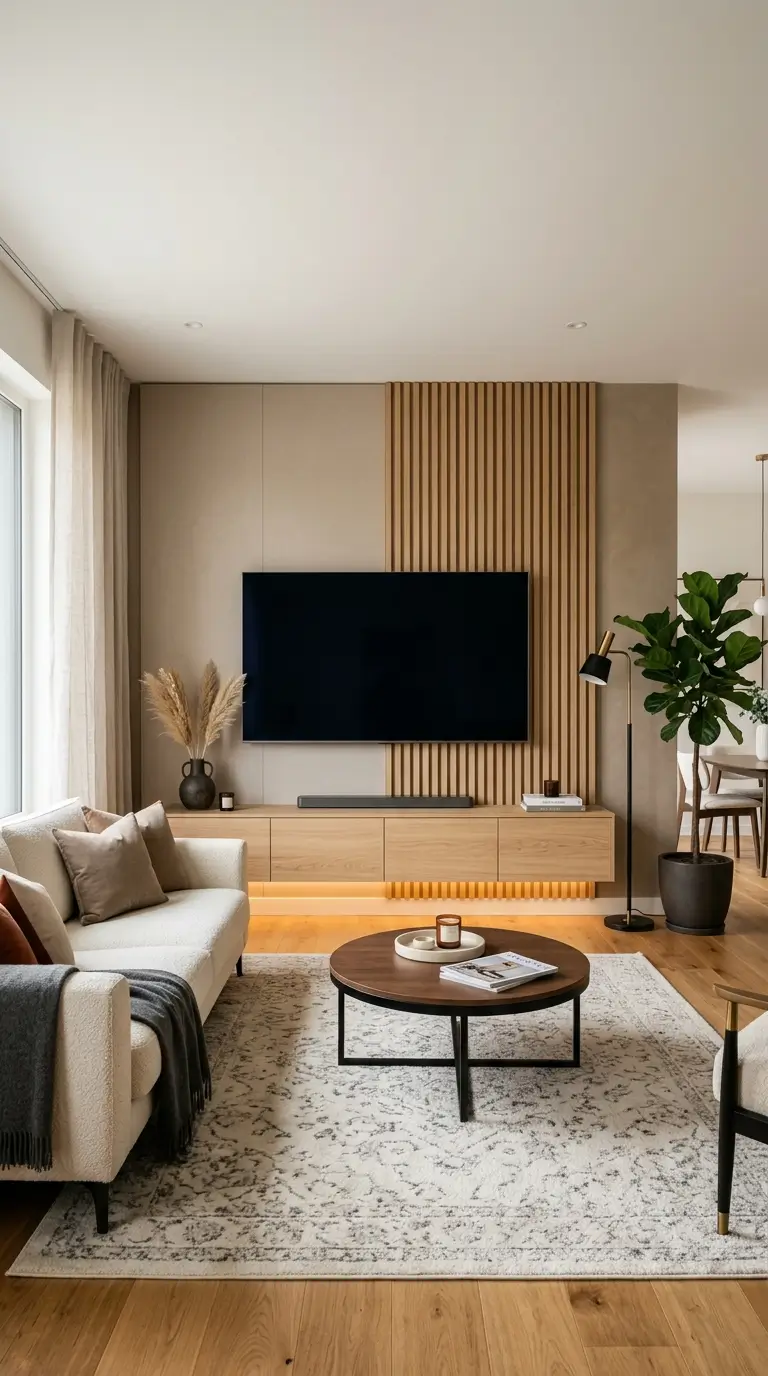
A stylish TV wall isn’t just about what’s on the wall around the screen. It’s also about where the screen sits, since a TV mounted too high or wired the wrong way undermines even the best styling. These 22 living room TV wall ideas cover both: the actual height and cable math that make a TV comfortable to watch, and the design choices that make it disappear into the room instead of dominating it.
Get the Height and Distance Right First
Before choosing a style, get the physical setup right. The center of the screen should land at seated eye level, and your seating distance should match your TV’s resolution and size.
| Screen Size | Ideal Viewing Distance (4K) | Screen Center Height |
|---|---|---|
| 43″ | 4.5–5.5 ft | ~42″ from floor |
| 50″ | 5–6.5 ft | ~42″ from floor |
| 55″ | 5.5–7.5 ft | ~42″ from floor |
| 65″ | 6.5–8.5 ft | ~42″ from floor |
| 75″+ | 7.5–10 ft | ~42″ from floor |
These ranges use the standard 1.2–1.6x screen diagonal formula for 4K viewing. For a lower recliner or floor seating, drop the center height to around 38 inches. A more precise formula: add roughly 22% of your viewing distance to your seated eye height to get the ideal center point.
1. Mount the TV at True Eye Level, Not Just “High Enough”
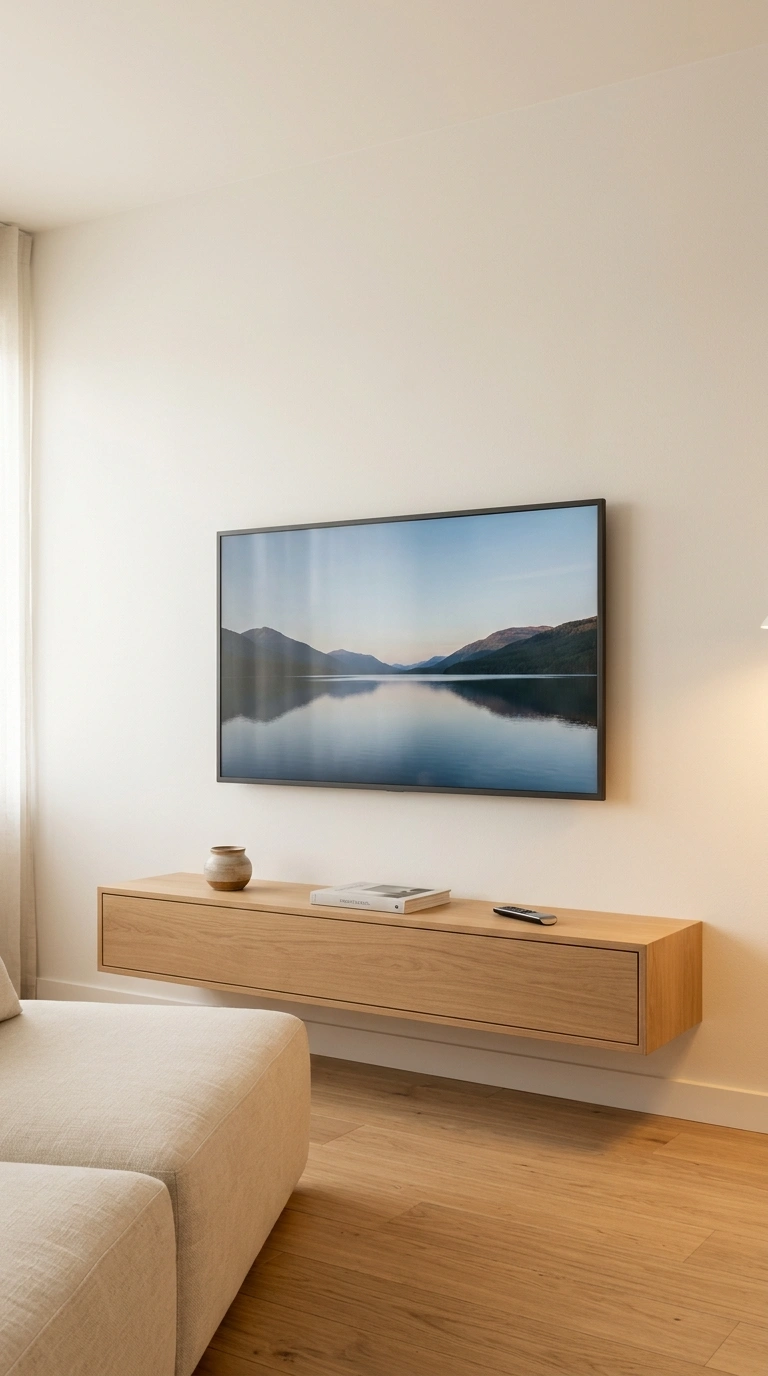
The most comfortable TV height puts the center of the screen at seated eye level, which works out to roughly 42 inches from the floor for a standard sofa, or closer to 38 inches for a lower recliner. Before the TV goes up, a full-motion TV wall mount gives you a little more room to correct the viewing angle after installation. That flexibility is useful when the sofa sits lower than expected or the screen needs a slight tilt to feel comfortable.
Many installers eyeball this and end up too high, especially once a media console or soundbar is added underneath, which raises the visual center without anyone adjusting for it. Quick tip: Sit in your actual seat, measure your eye height, and hold a tape measure or painter’s tape at the proposed screen center before drilling a single hole.
2. Choose a Full-Motion Mount for Multi-Angle Seating
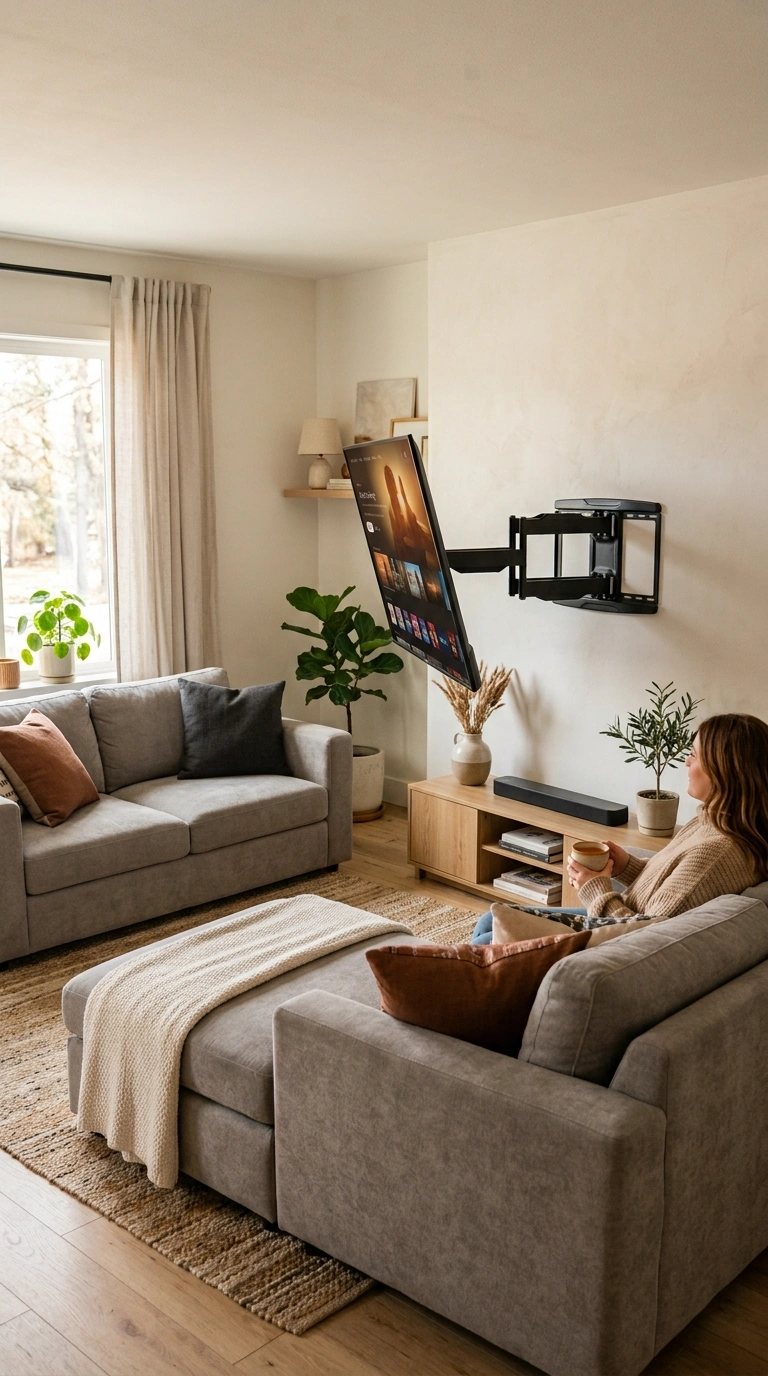
A full-motion, or articulating, mount extends, tilts, and swivels, which matters most in open floor plans or L-shaped sectional layouts where people watch from more than one angle. Before buying, check your TV’s VESA hole pattern, the standardized mounting hole spacing in millimeters printed on the box or manual, against the mount’s supported range, since size alone doesn’t guarantee compatibility. Compatibility matters more than extra features here. A heavy-duty full-motion TV wall mount should match both the TV’s VESA pattern and weight, while giving the screen enough swivel to face different seats without rearranging the room.
What to avoid: Don’t buy a mount based on screen size alone. Match the mount’s weight rating to your TV’s actual weight, listed in the manual, with some room to spare, since a mount rated right at the limit strains over time.
3. Route Cables Through the Wall the Code-Compliant Way
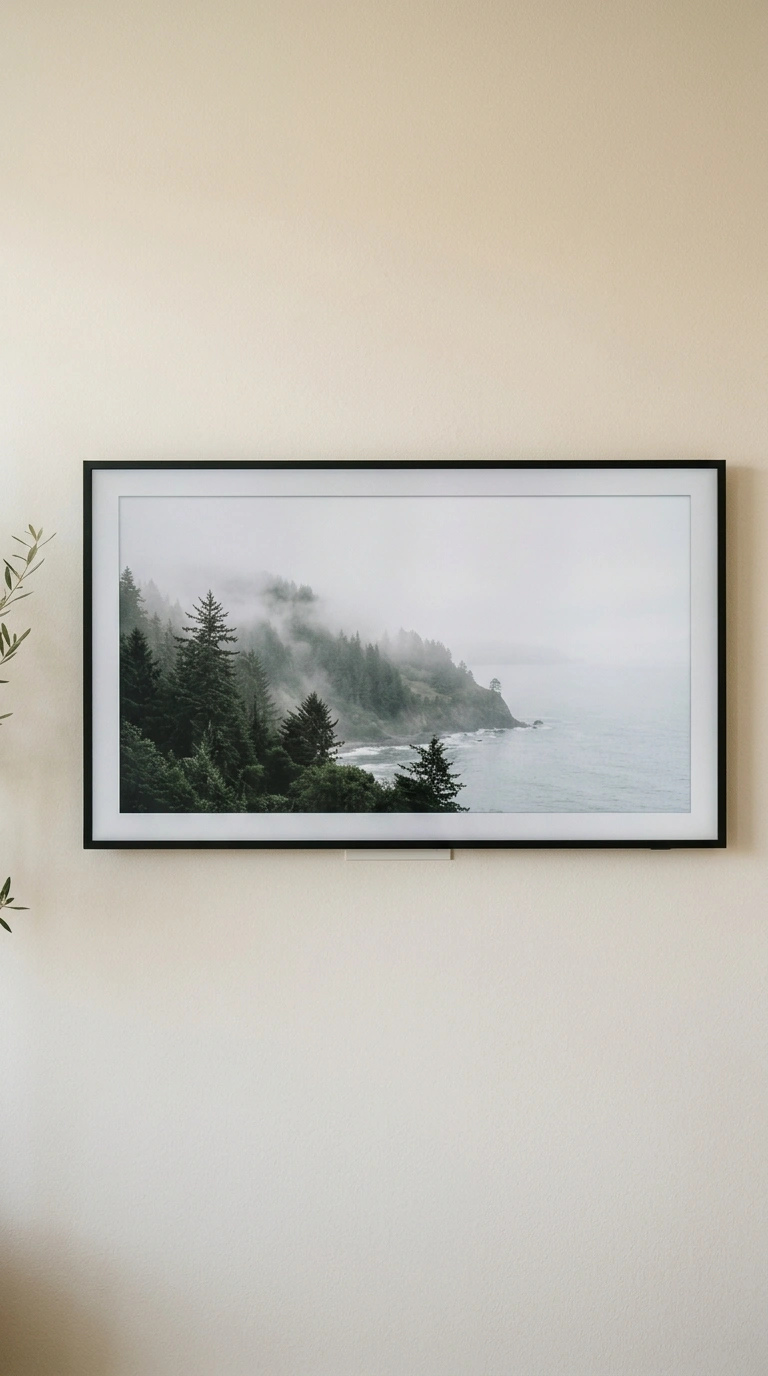
A clean, cable-free TV wall depends on running power the right way. The National Electrical Code’s Article 400.8 prohibits running standard extension cords or appliance cords through walls, since they’re not rated for it and create a fire hazard. For the low-voltage side of the setup, an in-wall rated cable management kit keeps HDMI and Ethernet cables hidden without treating ordinary cords as in-wall wiring.
The compliant fix is an in-wall power relocation kit, like PowerBridge or Legrand, which places a proper recessed outlet behind the TV using code-approved wiring, or hiring a licensed electrician to add a real outlet.
What to avoid: Don’t drill two holes and feed a household extension cord through the wall. It fails inspection if you sell the home, violates fire code, and most insurance won’t cover resulting damage.
4. Mount Above a Fireplace With a Pull-Down Tilting Mount
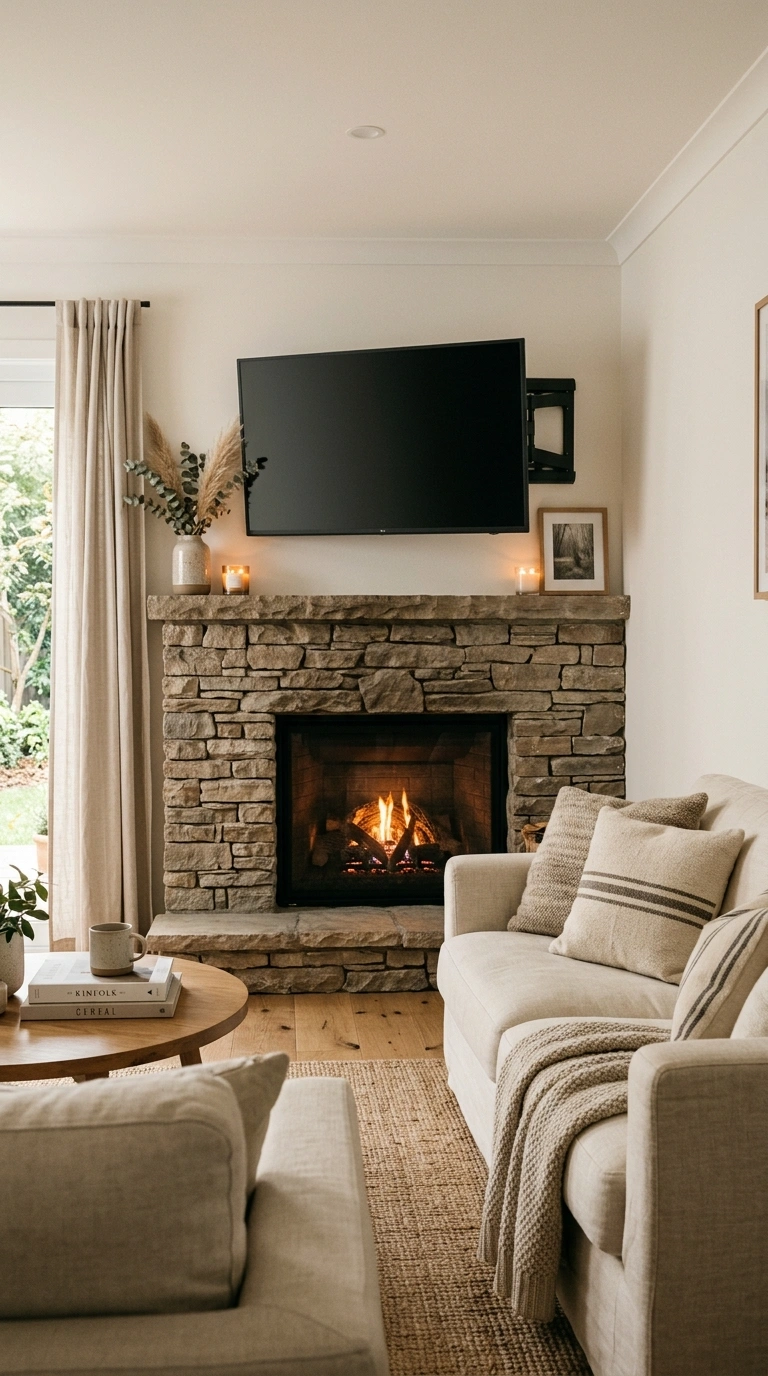
Mounting above a fireplace is one of the most requested TV wall layouts, but it usually pushes the screen well above the 42-inch ideal height, sometimes to 60 inches or more. A pull-down or tilting mount angled 5–15 degrees toward the seating area meaningfully reduces the neck strain that comes from looking up at a high-mounted screen for long periods.
For this setup, a pull-down fireplace TV mount makes more sense than a standard fixed bracket. It lets the screen come closer to a comfortable viewing height when needed, then move back above the fireplace when you’re finished watching.
Quick tip: Check your TV manufacturer’s clearance guidance for mounting above a heat source. Rising heat from an active fireplace can shorten a screen’s lifespan if the TV sits too close to the firebox opening.
5. Disguise the Screen With a Frame-Style TV or Art Lift
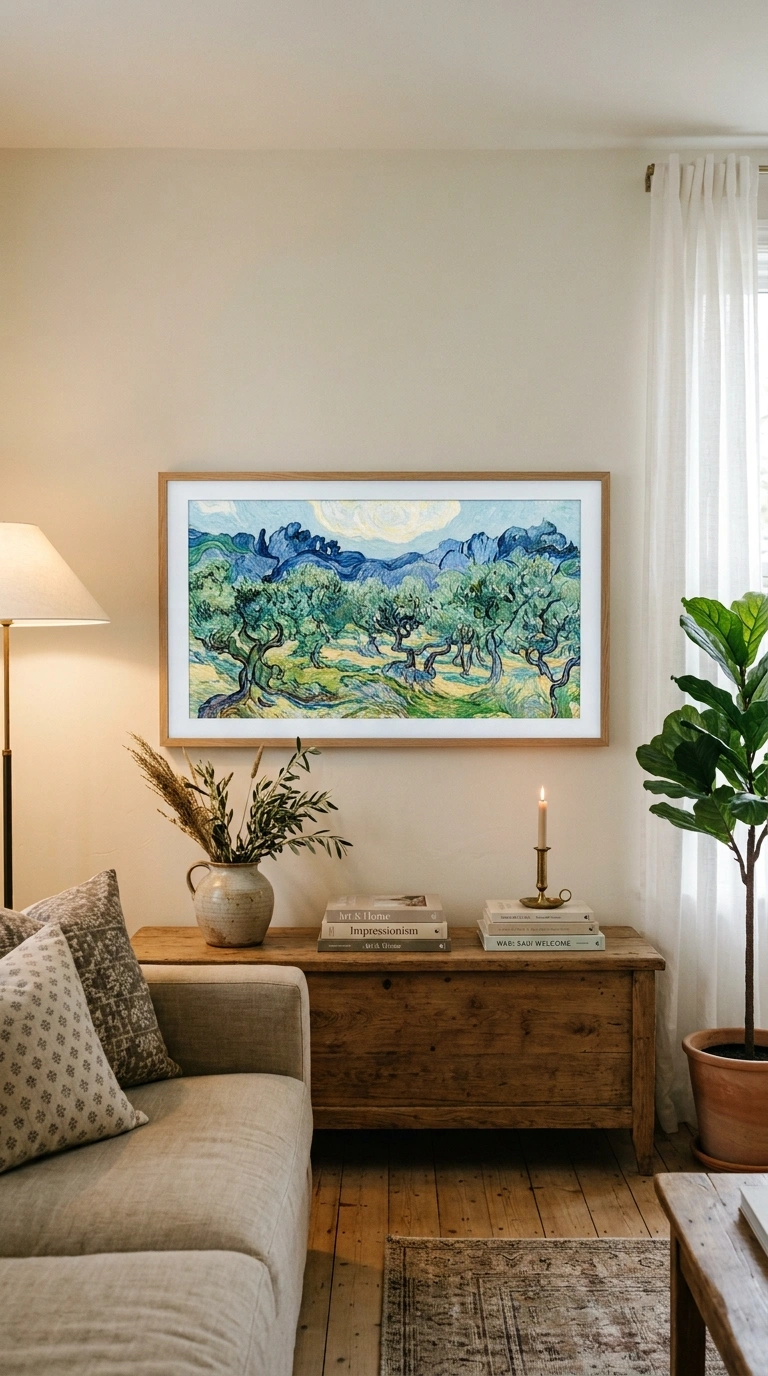
Frame-style televisions, like Samsung’s The Frame, use a matte anti-glare finish and display artwork in a museum-style mode when the TV is off, so the screen reads as a piece of art rather than a blank black rectangle. If you’d rather keep your existing TV, a motorized art-lift cabinet raises the television up out of a console and lowers a framed piece of art to cover it when not in use.
If replacing the television isn’t practical, a motorized TV lift cabinet offers another way to keep the screen from dominating the room. Once lowered, the cabinet reads more like regular furniture, leaving artwork and surrounding decor to take visual priority.
Quick tip: Frame-style TVs typically cost more per screen size than a standard model of the same resolution, so weigh that against how much a blank screen bothers you day to day.
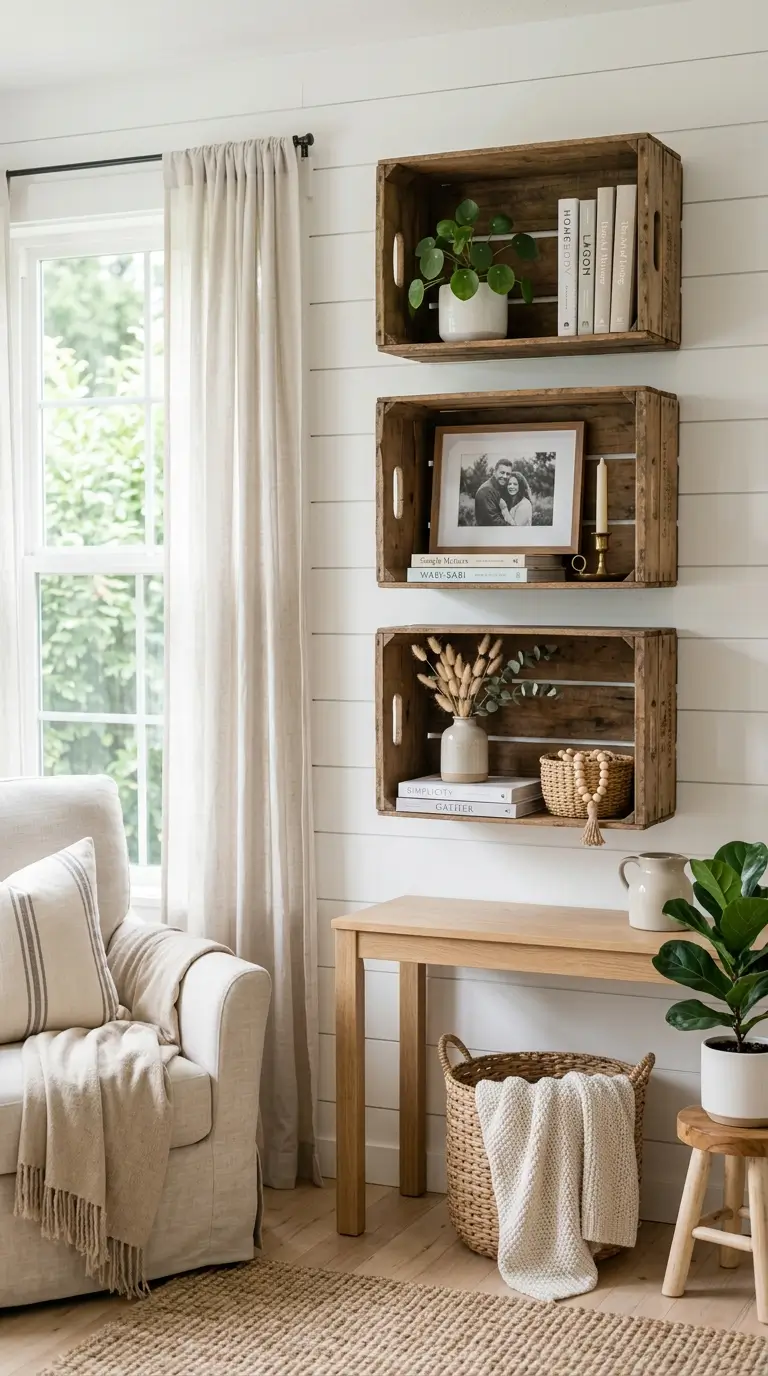
6. Flank the TV With Floating Shelves for Asymmetrical Balance
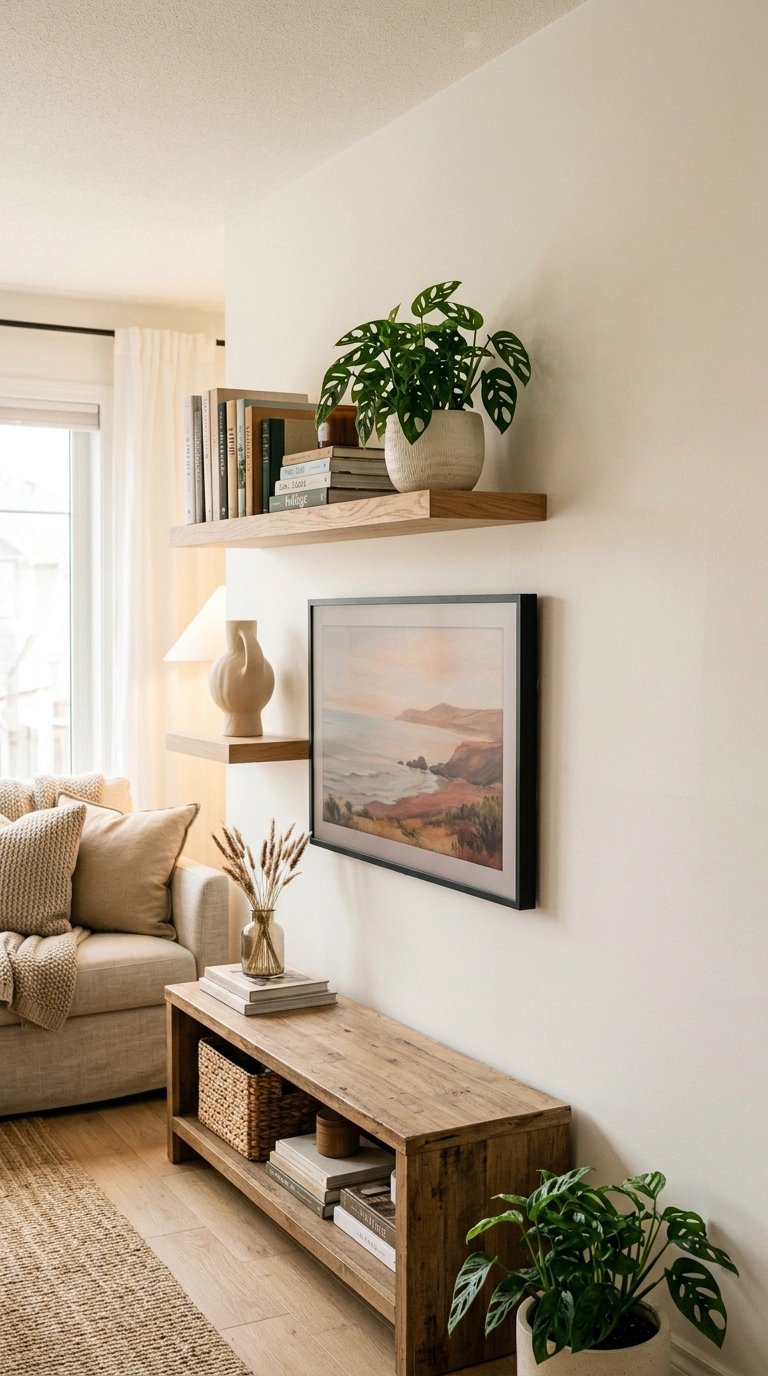
Two floating shelves of different lengths, mounted on either side of the TV at staggered heights, break up the visual weight of a large screen without boxing it into a symmetrical, showroom-style layout. Style one side heavier, with books and a small plant, and the other lighter, with just one or two objects, so the eye has somewhere to land besides the screen itself. Keep the lowest shelf at least 6 inches above the top of the TV so nothing overhangs the screen or its ventilation.
The shelves themselves can add warmth too. Natural wood floating shelves soften the look of a dark TV screen and give books, ceramics, and greenery a simple place to live, without making the wall feel heavy or overly built-in.
7. Build a Board-and-Batten Accent Wall Behind the TV
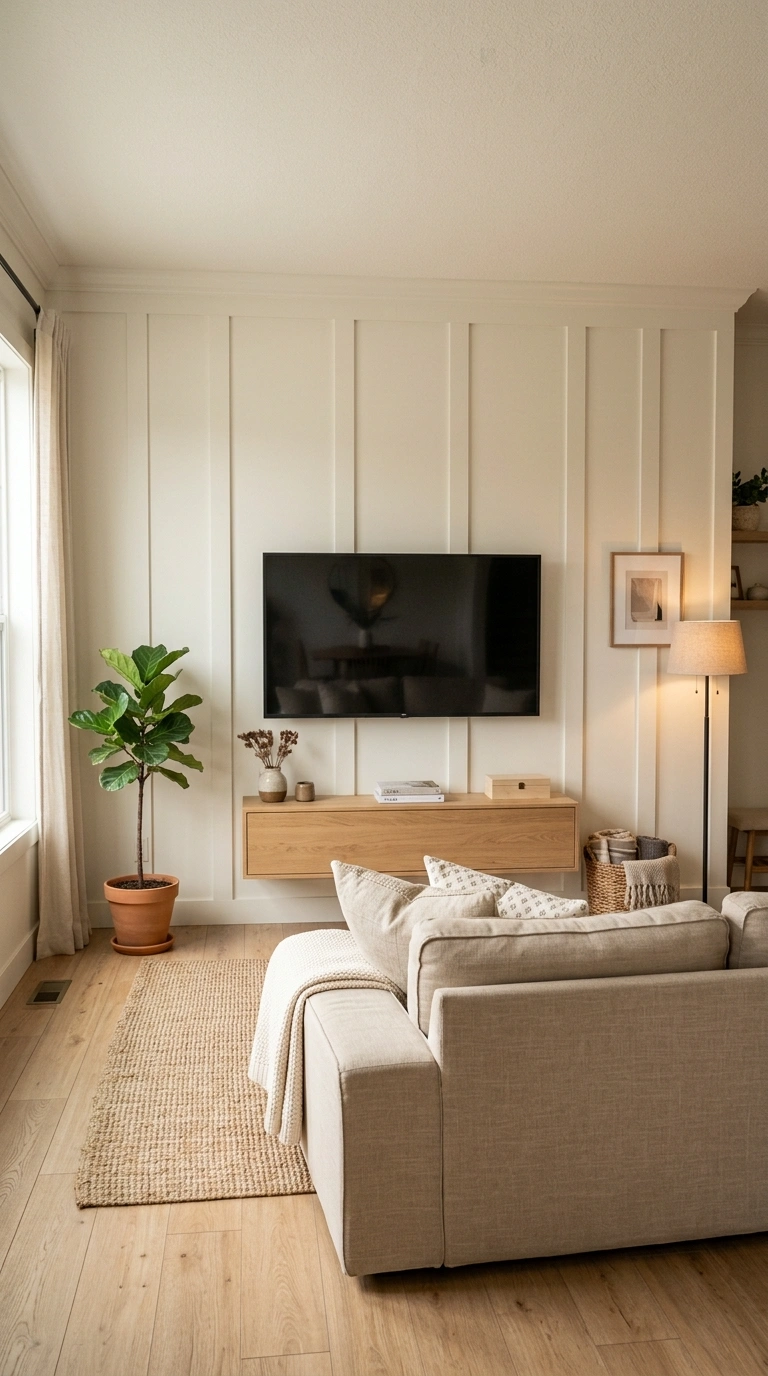
Vertical board-and-batten panels painted the same color as the wall add texture behind the TV without competing with it, since the screen itself provides plenty of visual contrast when it’s on. This works especially well when the batten spacing is planned around the mount, so a vertical seam doesn’t land directly behind the screen’s centerline. Route your cable and power kit before installing the battens, since drilling through finished millwork is far more difficult than through plain drywall.
8. Add a Full Built-In Media Wall With Cabinetry
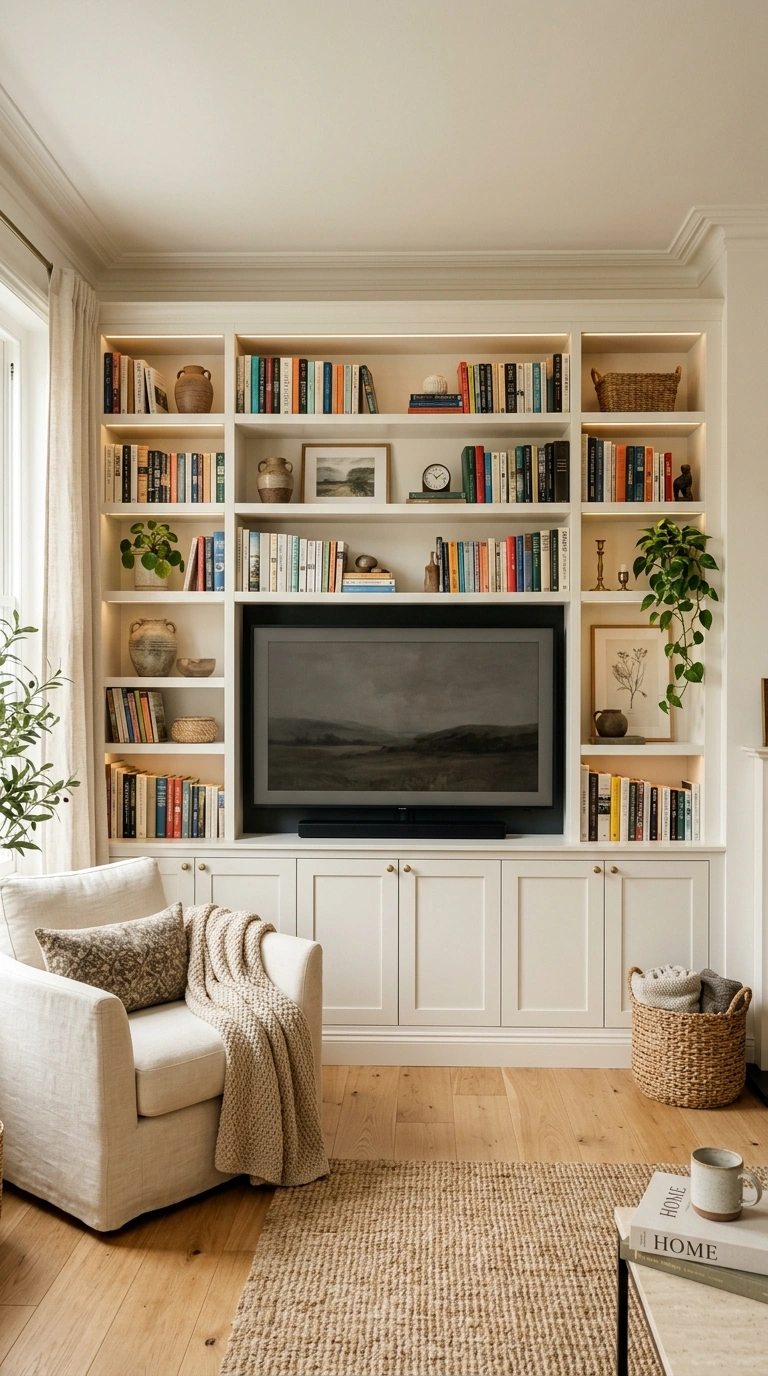
Custom or semi-custom cabinetry flanking the TV, with closed doors below for components and open shelving above, gives you real storage while keeping the wall looking intentional rather than assembled from separate pieces. Closed cabinets solve the storage problem, but the open sections still need some breathing room. Woven storage baskets for media shelves can hide controllers, cables, and small accessories while adding texture that keeps a large built-in from looking too rigid.
Leave a ventilated back panel or gap behind any enclosed cabinet section holding a cable box or gaming console, since electronics generate more heat than most built-ins account for. Plan the cabinet depth around your components first, not the other way around; most streaming boxes and consoles need at least 12–15 inches of usable depth.
9. Hide the Screen Behind a Sliding Barn Door or Panel
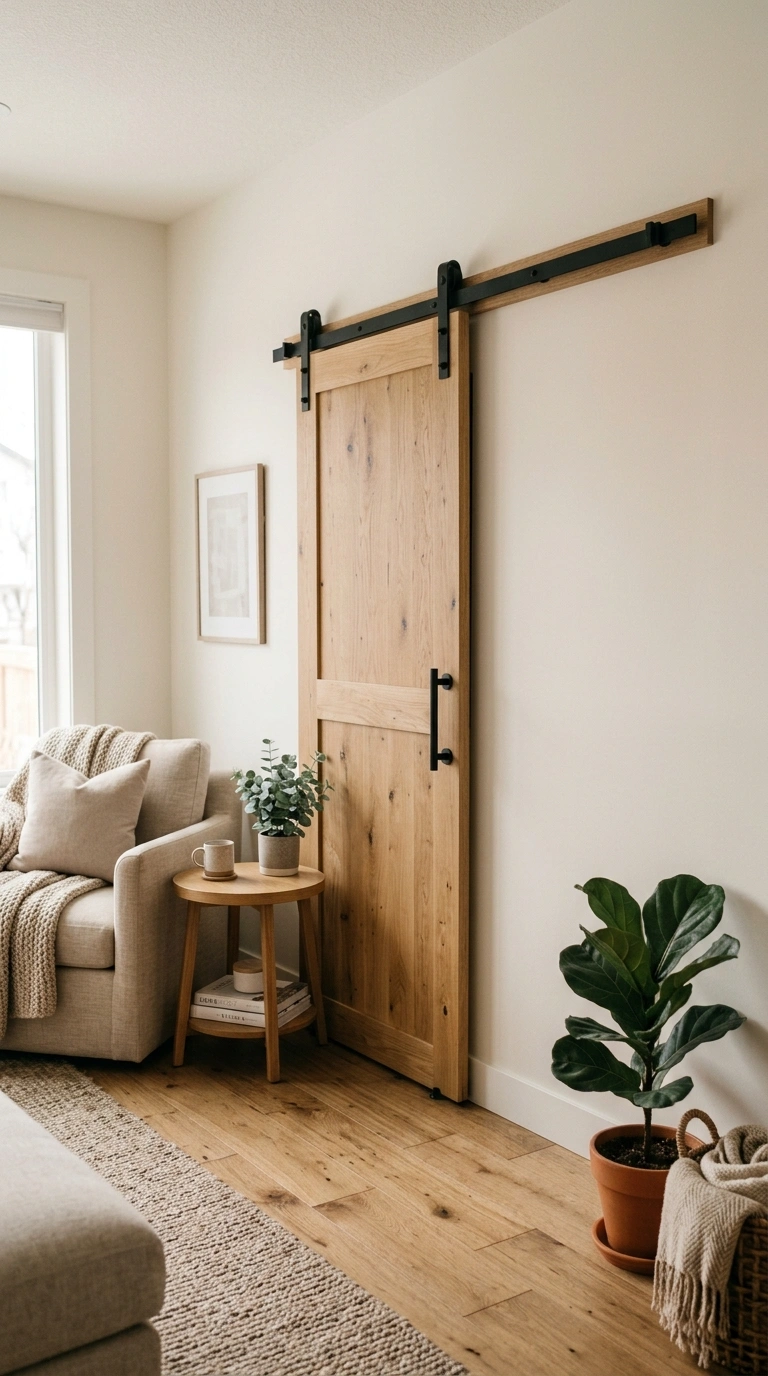
A sliding wood or upholstered panel mounted on a barn-door track fully conceals the TV when it’s off, which works especially well in a living room that doubles as a more formal space, like a dining-adjacent great room. Because the track adds weight and requires blocking behind the drywall, this option needs to be planned before you finish the wall, not retrofitted after the fact. Choose a panel a few inches wider and taller than the TV on all sides so it fully covers the screen without a visible gap at the edges.
10. Add a Stone or Brick Veneer Accent Wall
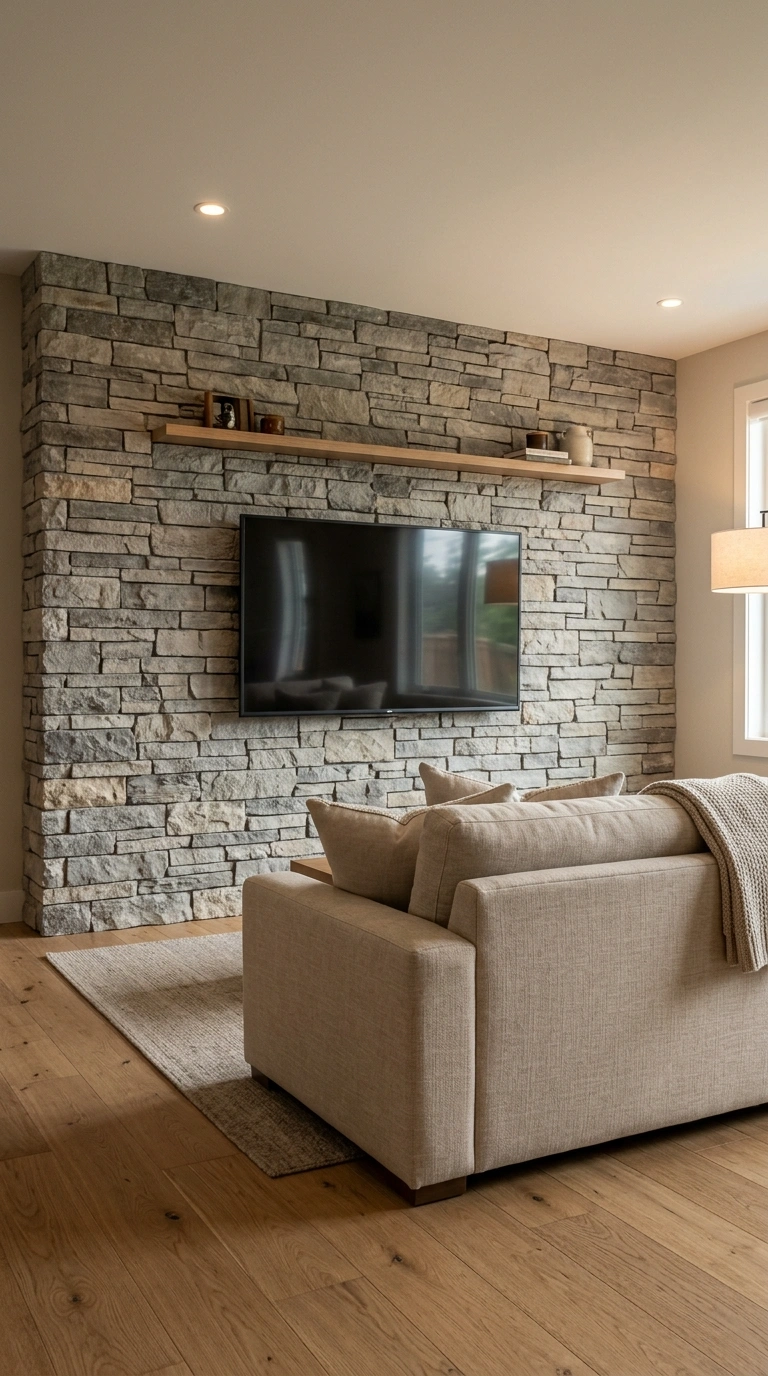
A stacked stone or thin brick veneer wall behind the TV adds real texture and a sense of permanence, especially in rooms with a fireplace nearby that the veneer can wrap around. Veneer adds real weight to the wall, generally a few pounds per square foot, so mounting hardware needs to anchor into the stud behind the veneer, not just the veneer material itself. Order veneer samples and view them under your room’s actual lighting before committing, since stone tones shift more than paint chips do under warm versus cool bulbs.
11. Build a Gallery Wall Around the Mounted TV
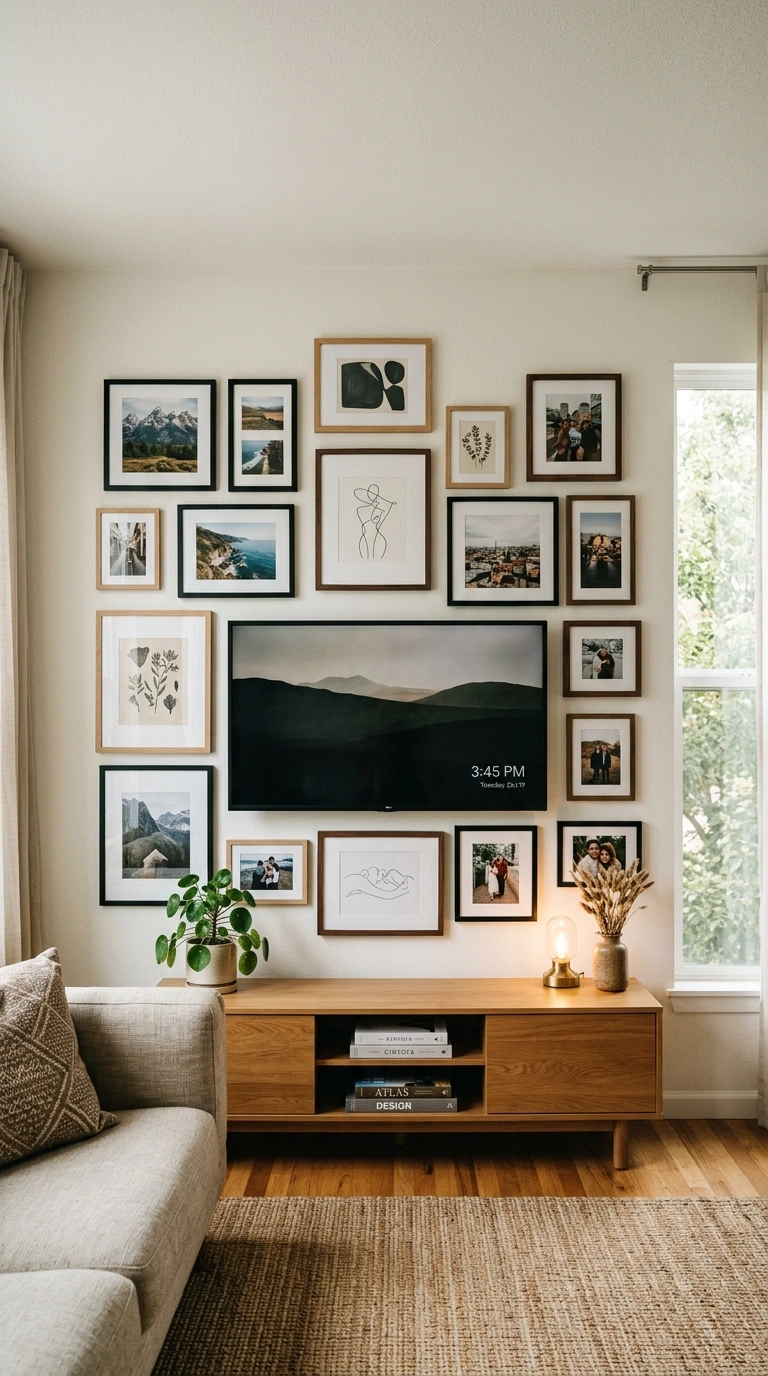
Framing the TV inside a loose gallery wall of mixed art and photos, rather than isolating it on a blank wall, makes the screen read as one more rectangle among several instead of the obvious focal point. Keep at least 6–8 inches of breathing room directly around the TV’s edges so the gallery doesn’t crowd the screen or its ventilation. Use uniform frame colors but varied sizes so the layout feels curated even with a big black rectangle sitting in the middle of it.
12. Use Wood Slat Paneling as a Textured Backdrop
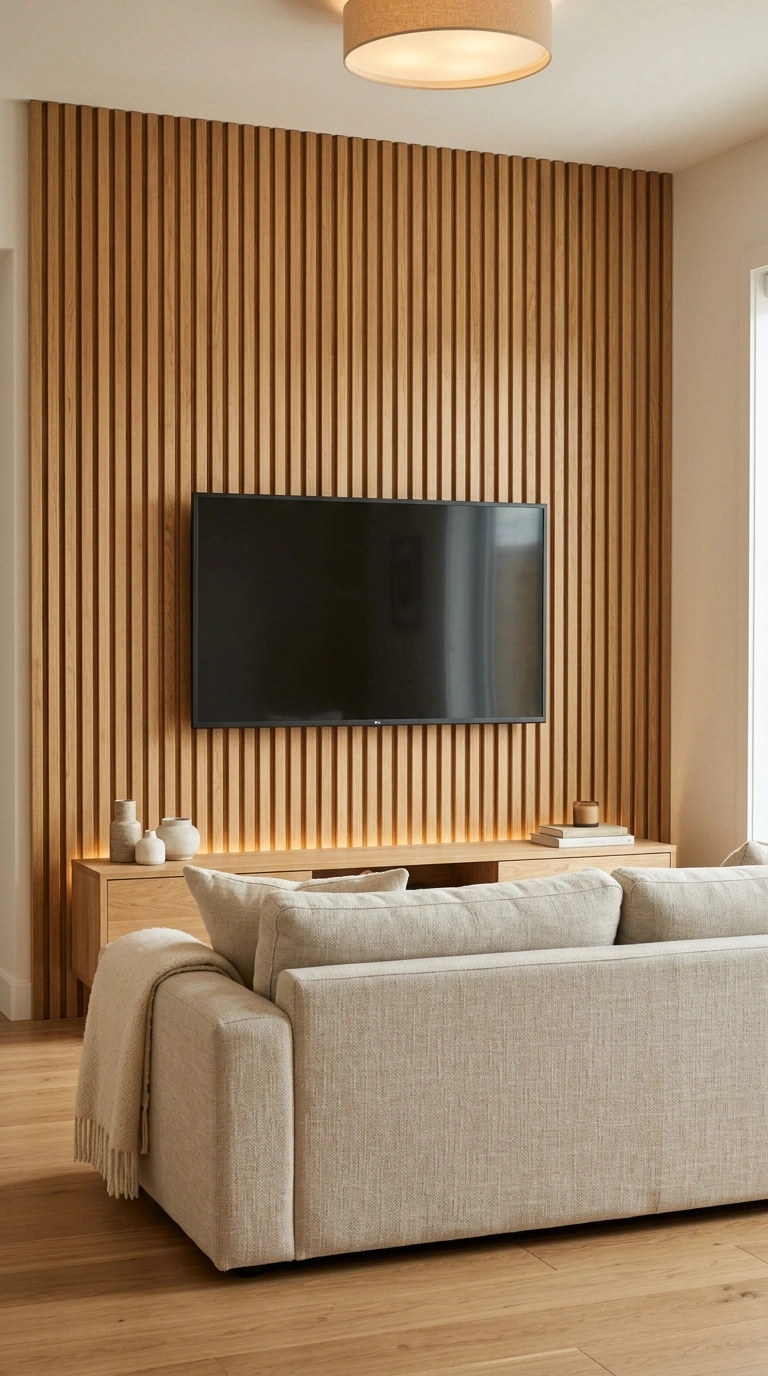
Vertical wood slat paneling, often sold in modular panels with a felt or acoustic backing, adds warmth and subtle sound absorption behind the TV, which can measurably improve a room’s audio clarity along with its look.
Because slat paneling has real depth, roughly half an inch to an inch, plan your mount’s wall-to-screen distance around it so the TV doesn’t sit awkwardly proud of the surrounding panels. Order a sample panel first. Slat spacing and wood tone vary a lot between brands, and this is a hard finish to return once installed.
13. Mount the TV Above a Floating Console
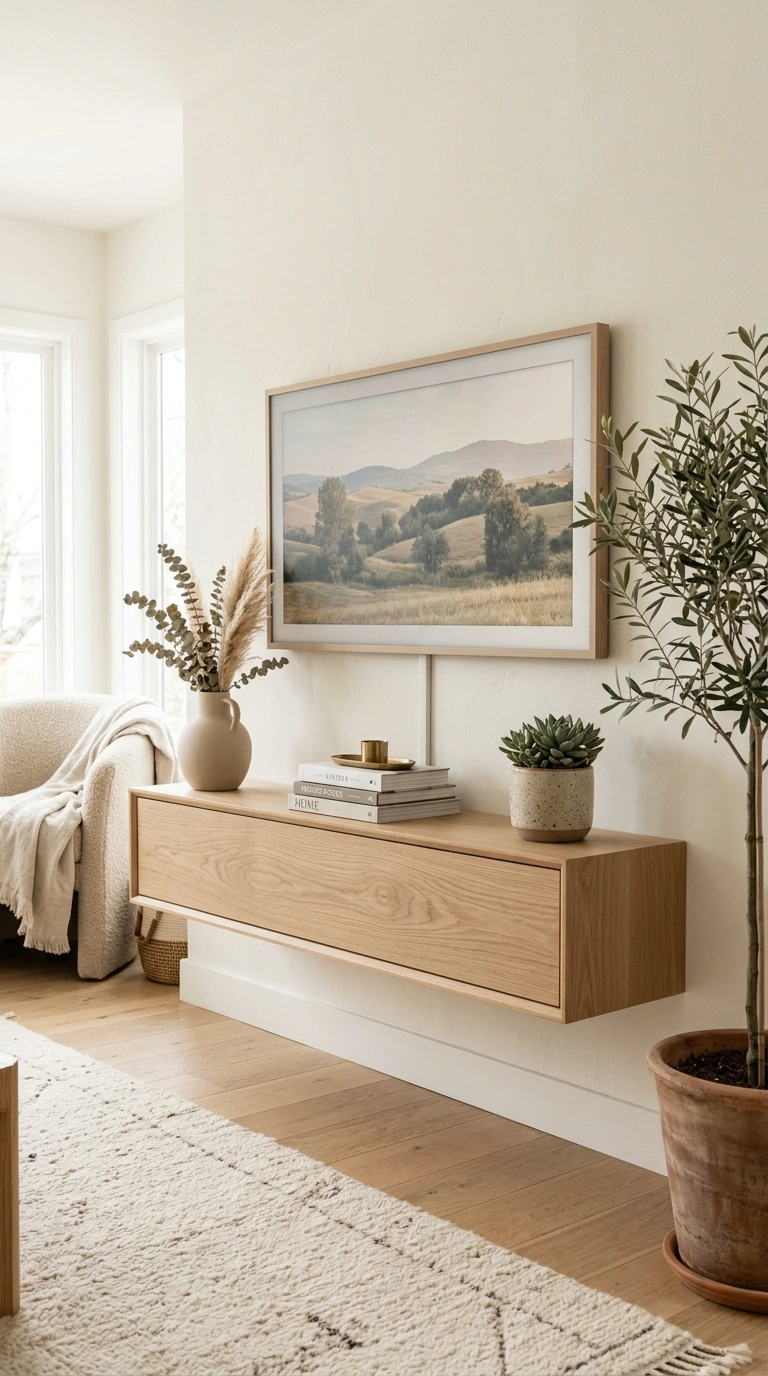
A wall-mounted floating console beneath the TV keeps the floor clear and reads as more custom than a freestanding stand, especially in smaller living rooms where visible floor space makes the whole room feel larger. Floating consoles need to anchor into studs, not just drywall anchors, since a loaded console with components and decor can easily weigh 40–60 pounds once everything is in place. Leave at least a few inches of clearance between the top of the console and the bottom of the TV so cables have room to route cleanly.
14. Build a TV Alcove or Recessed Nook
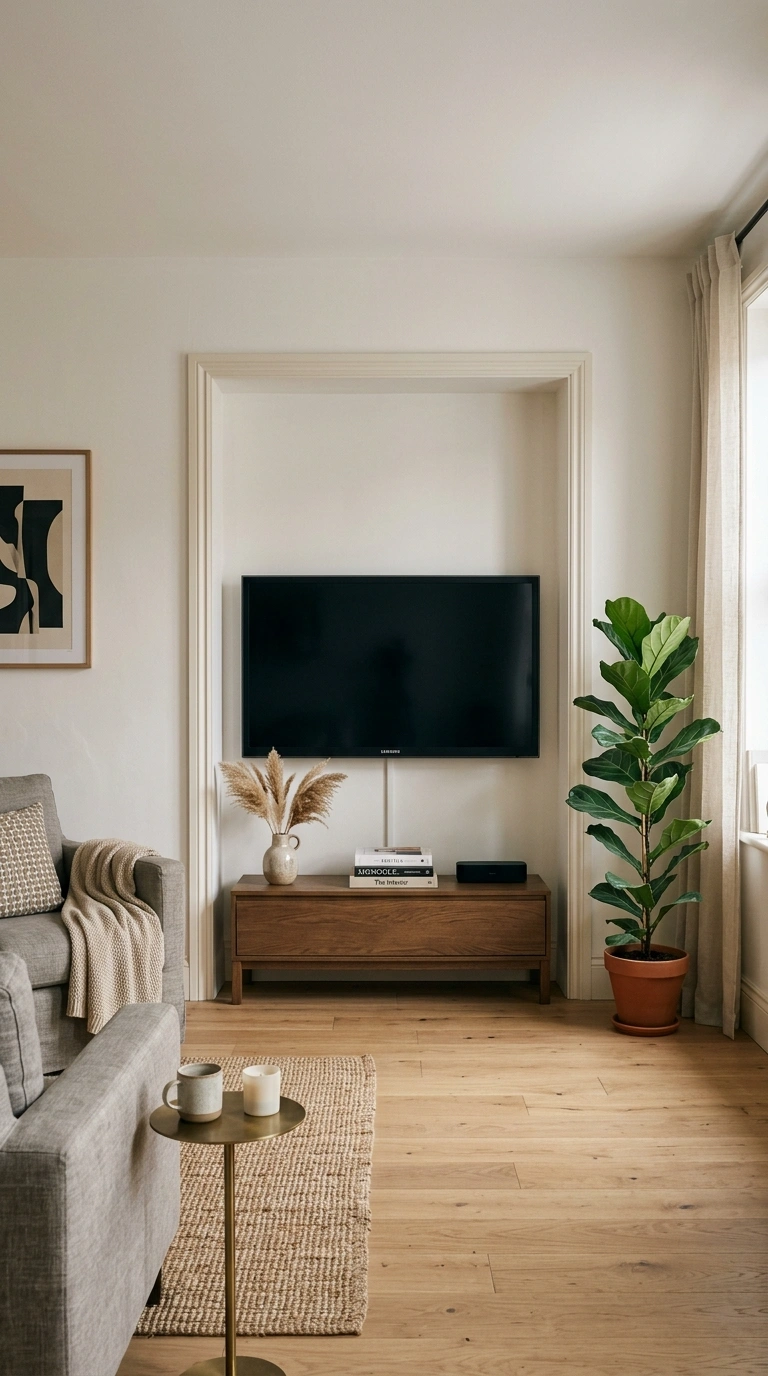
Framing out a recessed alcove for the TV, either during a renovation or with added trim around an existing flat wall, gives the screen a defined frame and hides the mount and cables inside the depth of the niche. This works particularly well in rooms with a chimney breast or other wall projection, since the recess can align with existing architectural lines instead of looking like an added-on feature. Recess the alcove at least 4–6 inches deep so a full-motion mount still has room to tilt without hitting the sides.
15. Combine an Electric Fireplace With the TV Wall
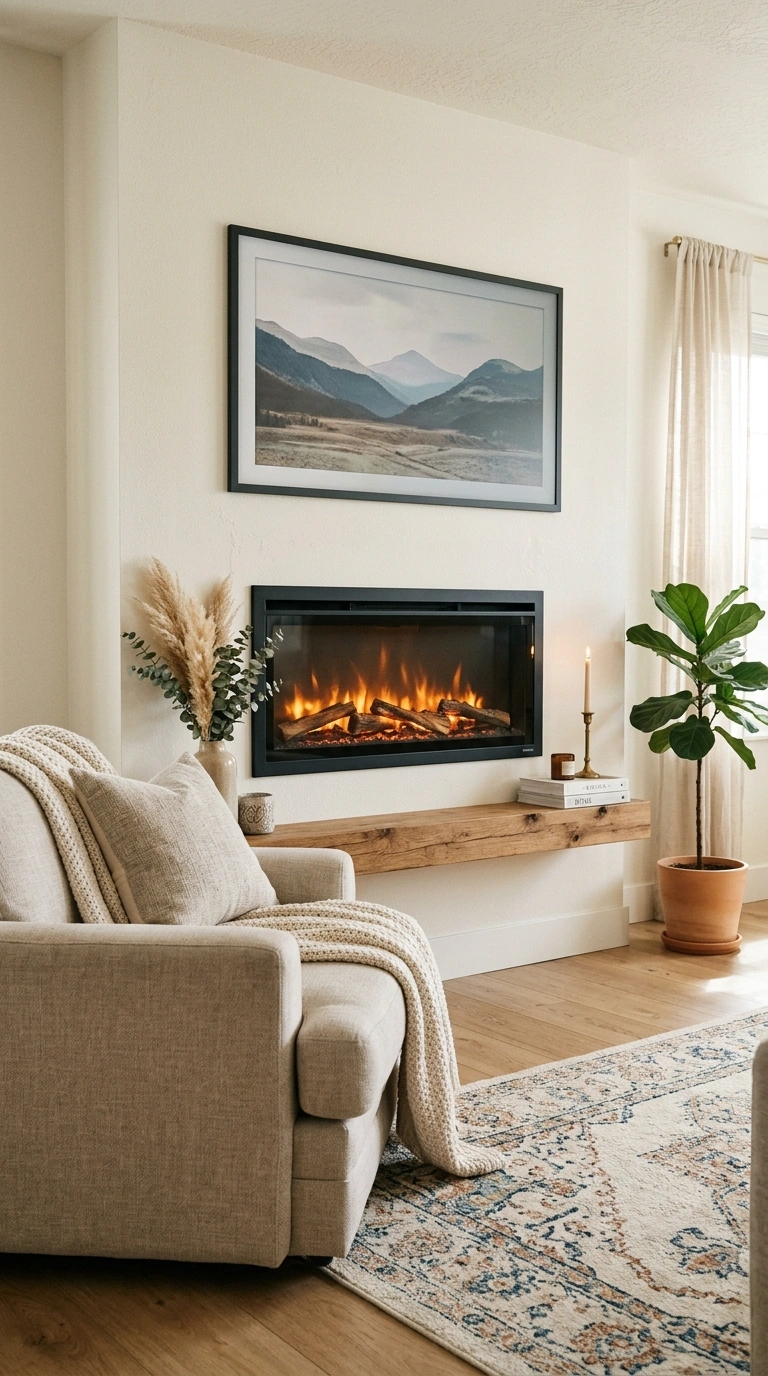
An electric fireplace insert mounted below or beside the TV adds warmth and a focal point without the venting requirements of a gas or wood-burning unit, making it one of the few fireplace options that can go directly on an interior wall. Because electric fireplaces still generate real heat, check the specific clearance the manufacturer requires between the top of the unit and the TV above it, rather than assuming any gap is safe. Choose a fireplace insert with a flame-only mode so you can run the ambiance without the heat during warmer months.
16. Surround the TV With Open Shelving Like a Library Wall
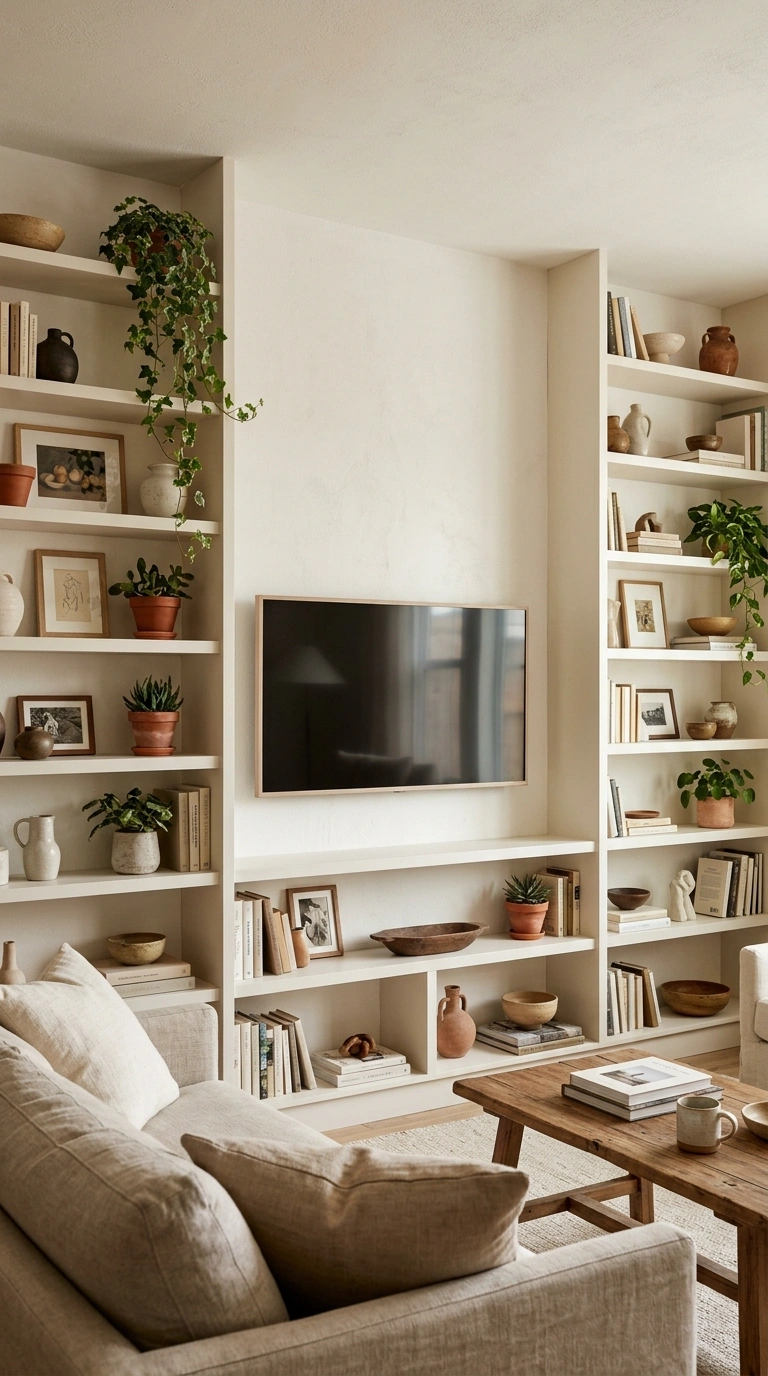
Floor-to-ceiling open shelving on either side of the TV, styled with books, objects, and a few plants, turns the whole wall into a feature rather than a single-purpose media spot. Keep the shelf directly beside the screen lighter and more open than the others, so the transition from shelving to screen doesn’t feel visually cramped. Weight the shelving with more objects at the bottom and fewer, more curated pieces up top; it reads more intentional and keeps the room feeling grounded.
17. Add Sconces or Picture Lights to Flank the TV
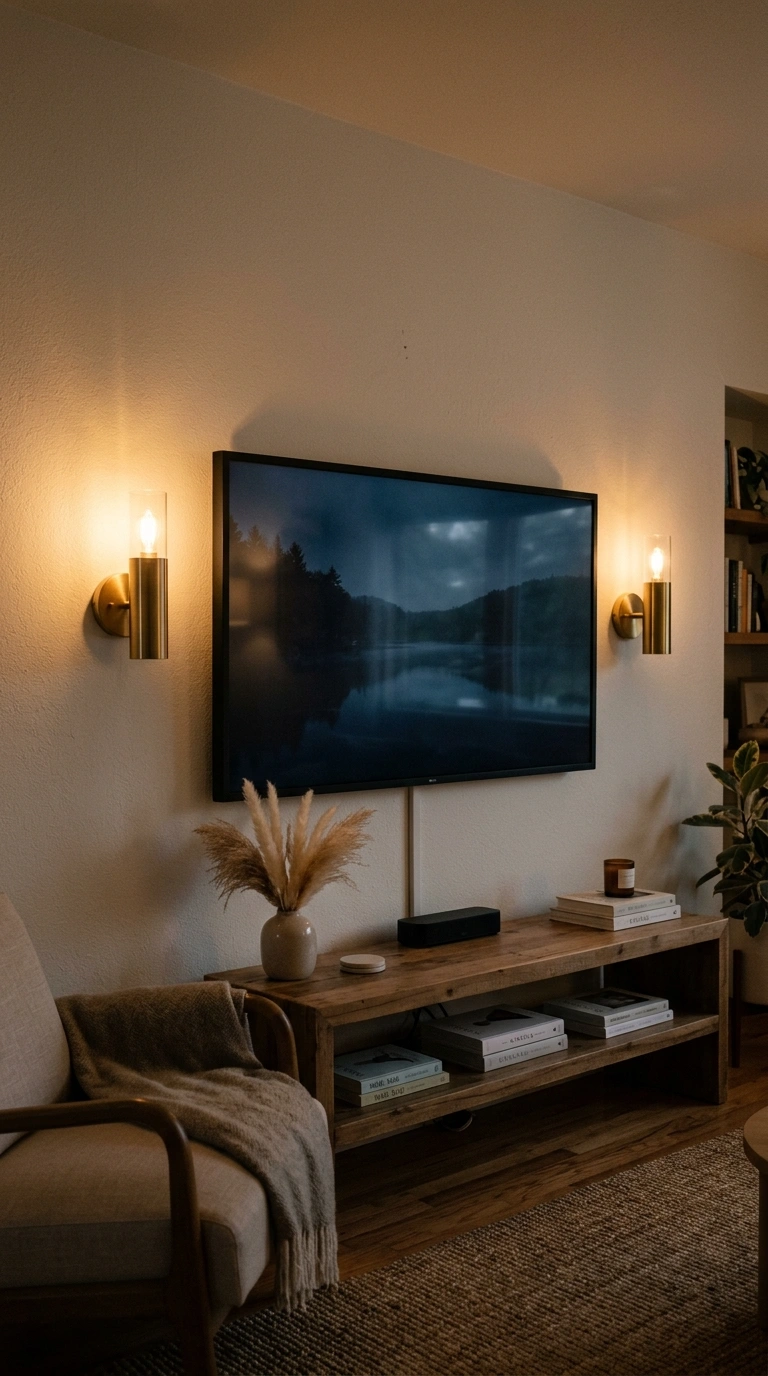
Wall sconces or picture lights mounted on either side of the TV add warm ambient light for evening viewing and give the wall visual height beyond the screen itself. Keep sconces at least 12–18 inches away from the TV horizontally so glare from the bulb doesn’t reflect on the screen when it’s on. Choose sconces on a dimmer switch, since bright, uncontrolled light beside a screen at night creates glare and eye strain during movies.
18. Paint the Wall Behind the TV a Deep, Matching Color
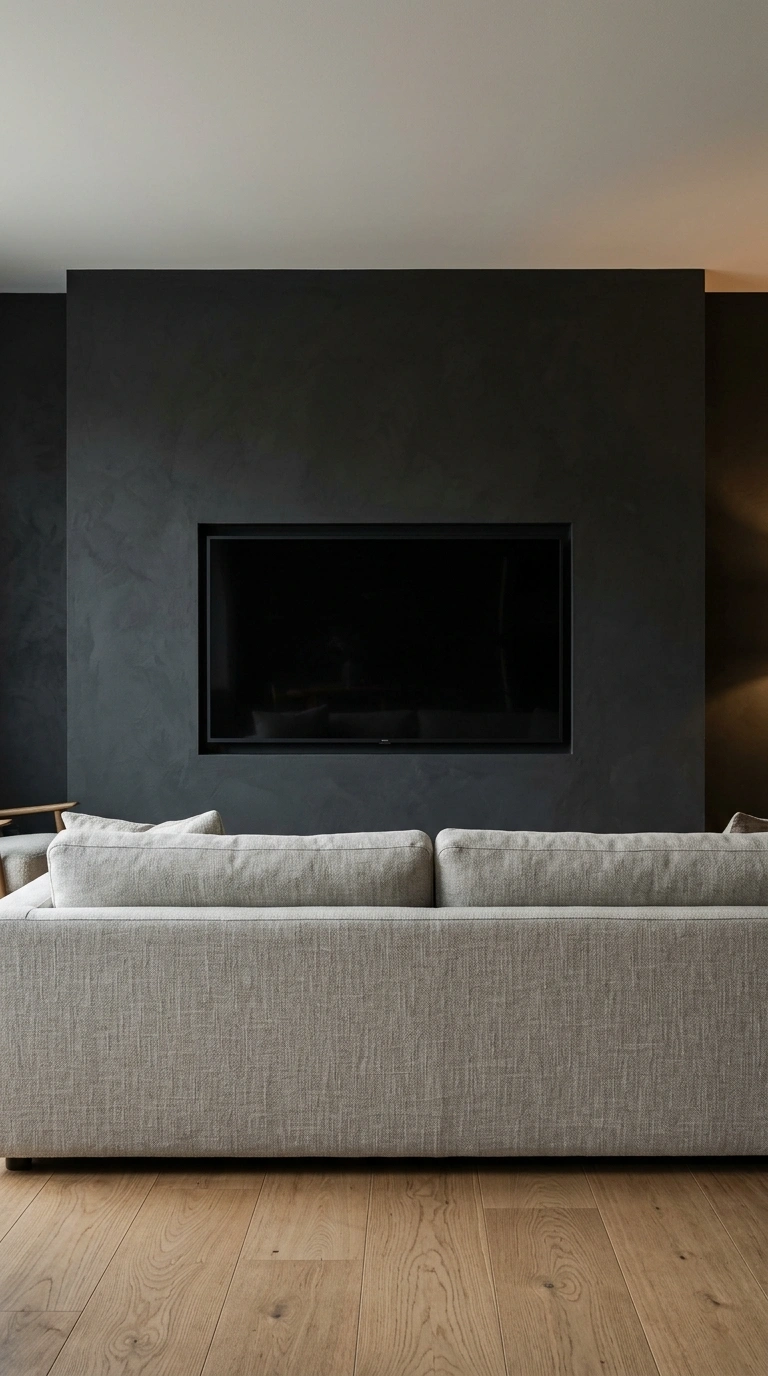
Painting the wall behind the TV in a deep, saturated color close to the screen’s off-state black lets the bezel visually disappear into the wall instead of standing out as a bright rectangle.
This trick works best with genuinely dark colors, generally an LRV under 15, since anything lighter creates enough contrast that the screen edges stay visible even when it’s off. Extend the dark color at least a foot beyond all sides of the TV so the color-drenched effect reads as intentional, not like a leftover paint sample.
19. Style a Low Console With Baskets for Hidden Storage
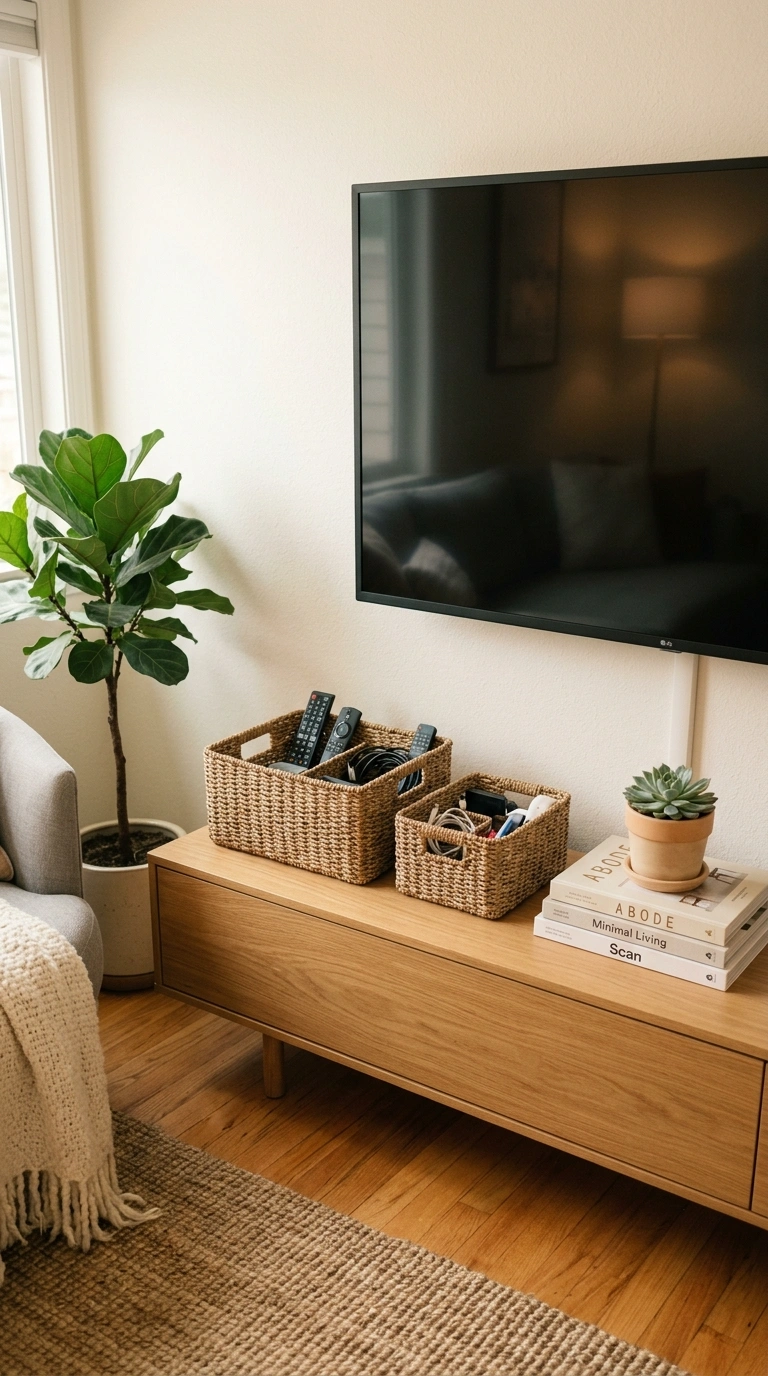
A low console beneath the TV, styled with a few woven baskets, hides remotes, cables, and gaming controllers without needing closed cabinetry, which keeps the piece feeling more like furniture than storage. Choose baskets with a flat back edge if the console sits close to the wall, since round baskets can waste several inches of usable depth in a shallow console. Label baskets loosely by category, like “remotes” and “controllers,” so the storage stays functional instead of becoming a catch-all drawer with a lid.
20. Consider a Projector and Screen for a Larger Format Alternative
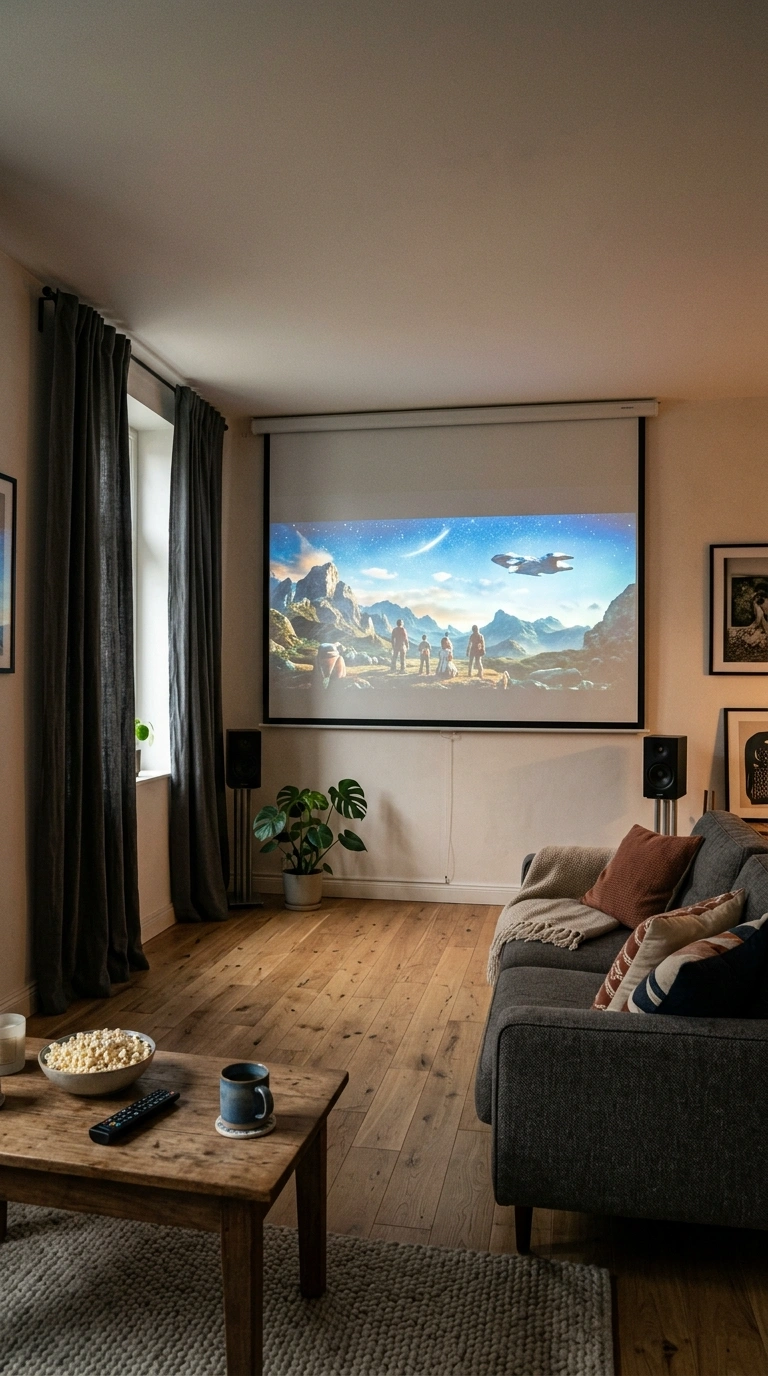
A short-throw projector and a fixed or motorized screen can deliver a genuinely large image, often 100 inches or more, in the same footprint a big-screen TV would need, and a rolled-up screen disappears from the room entirely when not in use. Projectors need controlled ambient light to look their best, so this option works better in rooms with blackout curtains or limited daytime glare than in a bright, south-facing living room.
Quick tip: Short-throw projectors can sit just a few inches from the wall, unlike standard-throw models that need to be mounted across the room, which matters if floor space is tight.
21. Position the TV Wall to Serve Two Sightlines in an Open Layout
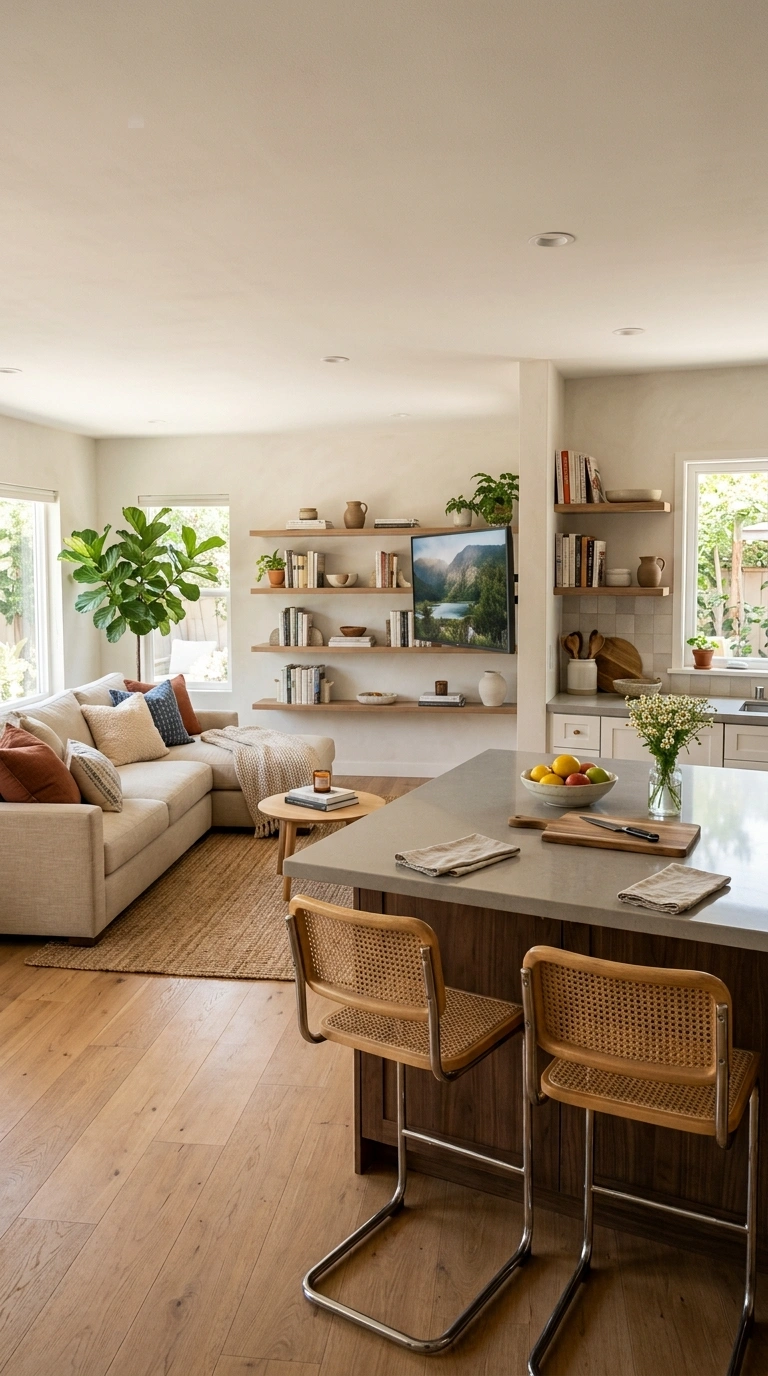
In an open-concept living and kitchen or dining space, positioning the TV wall so it’s visible from both the main seating area and a secondary spot, like a kitchen island, means one screen covers two zones instead of needing a second TV. A full-motion mount is especially useful here, since it lets you angle the screen slightly toward whichever zone is actively watching.
Quick tip: Test sightlines by sitting in every seat that should see the TV before finalizing the wall position, since even a foot of difference can block a view from a kitchen island.
22. Keep the Wall Minimal With Just the TV and No Surrounding Decor
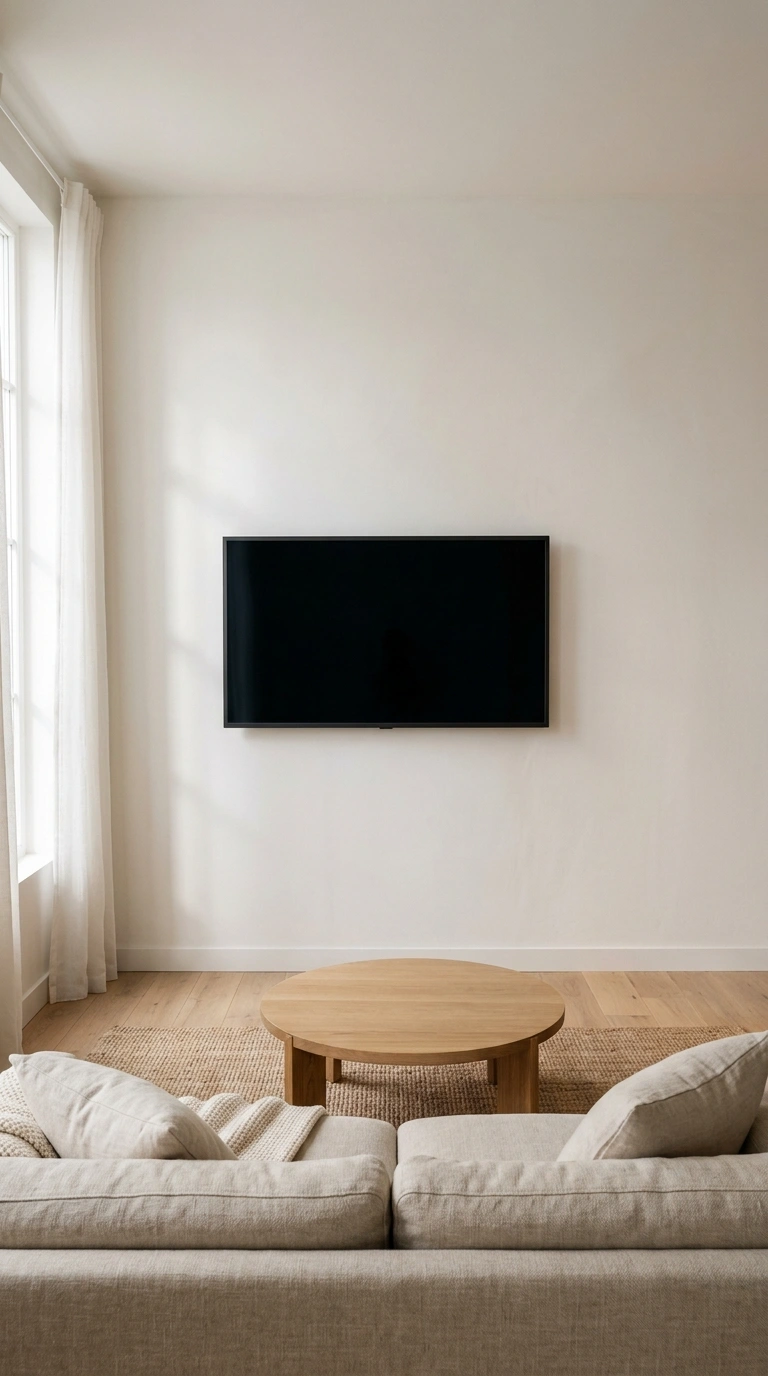
Sometimes the most modern option is the simplest one: a single TV on a clean, unadorned wall, with all the visual interest handled by furniture and lighting elsewhere in the room. This approach works especially well with a frame-style TV or art-lift cabinet, since the wall still has visual interest when the screen is off, just not from permanent decor around it.
Quick tip: If you go minimal, invest a little more in the mount itself. With nothing else on the wall, an off-center or poorly leveled TV becomes much more noticeable.
Mount Types and Code-Compliant Wiring
| Component | What It Does | Key Detail |
|---|---|---|
| Fixed mount | Holds TV flush, 1–2″ from wall | Cheapest, no adjustability, best when eye level is already correct |
| Tilting mount | Angles the screen 5–15° down | Best for above-fireplace or higher-than-ideal mounting |
| Full-motion mount | Extends, tilts, and swivels | Best for corner walls or multiple seating areas; check the weight rating against your TV’s actual weight, not just its screen size |
| In-wall power kit | Relocates a code-compliant outlet behind the TV | Required by NEC Article 400.8; a standard extension cord run through drywall is a fire code violation |
| CL3-rated cable | Fire-resistant jacket for in-wall signal cables | Needed for any HDMI or speaker cable routed inside the wall cavity |
Bringing It All Together
The living room TV walls that actually feel modern get two things right at once: the screen sits at real eye level with cables run safely out of sight, and the surrounding wall does something more interesting than just holding a black rectangle. Start with the height and cable plan, since that’s the part you can’t easily redo once it’s installed, then layer in the styling that fits your room.
Pick your favorite layout, save it to Pinterest, and start planning your own TV wall this weekend.
FAQs
How high should a TV be mounted on the wall?
The center of the TV should sit at seated eye level, which is about 42 inches from the floor for a standard sofa or roughly 38 inches for a lower recliner. A more precise method adds about 22% of your viewing distance to your seated eye height.
How far should you sit from a TV based on its size?
For 4K TVs, multiply the screen’s diagonal size by 1.2 to 1.6 to get the ideal viewing distance range. A 65-inch 4K TV is comfortable from roughly 6.5 to 8.5 feet, while a 55-inch TV works best around 5.5 to 7.5 feet.
Can you run a regular extension cord through the wall to power a mounted TV?
No. NEC Article 400.8 prohibits running standard extension or appliance cords through walls because they aren’t rated for it and create a fire hazard. Use a code-compliant in-wall power relocation kit or have a licensed electrician install a proper outlet behind the TV.
Is it bad to mount a TV above a fireplace?
It’s not ideal on its own, since it usually places the screen well above comfortable eye level, but a tilting mount angled 5 to 15 degrees down significantly reduces the neck strain. It’s also worth checking your TV manufacturer’s heat clearance guidance for the space above an active firebox.
What’s the difference between a fixed, tilting, and full-motion TV mount?
A fixed mount holds the TV flush against the wall with no movement, a tilting mount angles the screen up to 15 degrees down, and a full-motion mount extends, tilts, and swivels for multiple viewing angles. Full-motion mounts are the best fit for corner walls or rooms with more than one seating area.